
Using AI to its fullest potential.
SpeakBook
Your books, read aloud. Free.
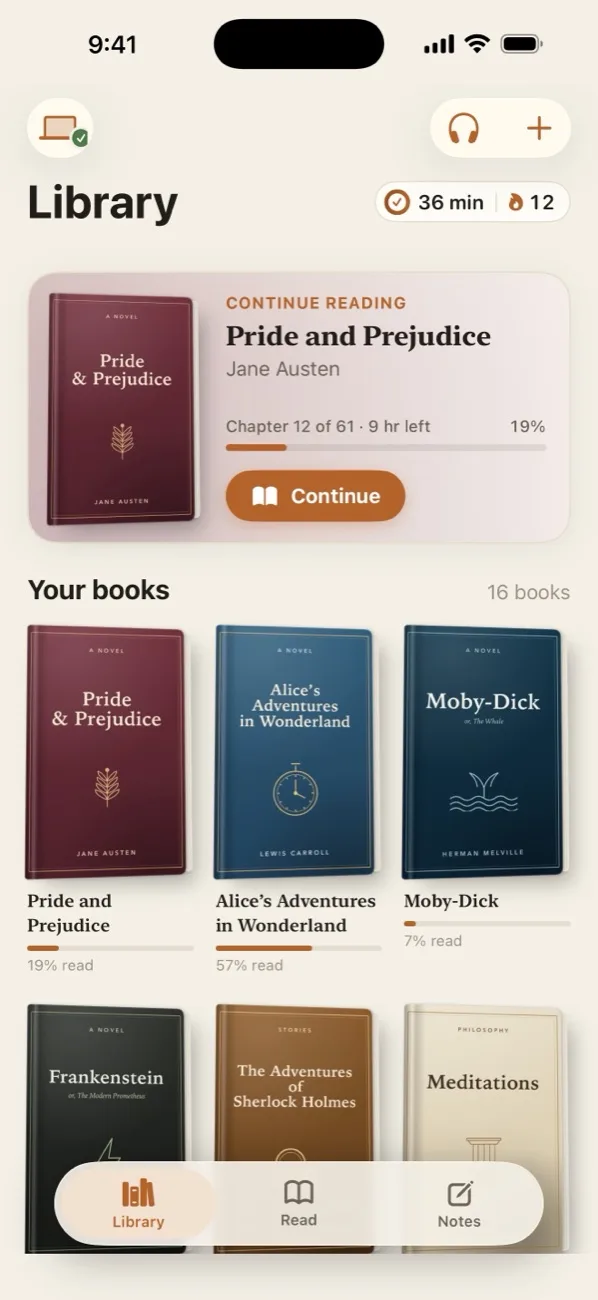
Lifelike voices that live right on your device, so every book you own can be read to you for free. No subscription, no credits, no internet needed.

Free on iPhone and iPad. Free for Mac (Apple silicon, macOS 15 or later).
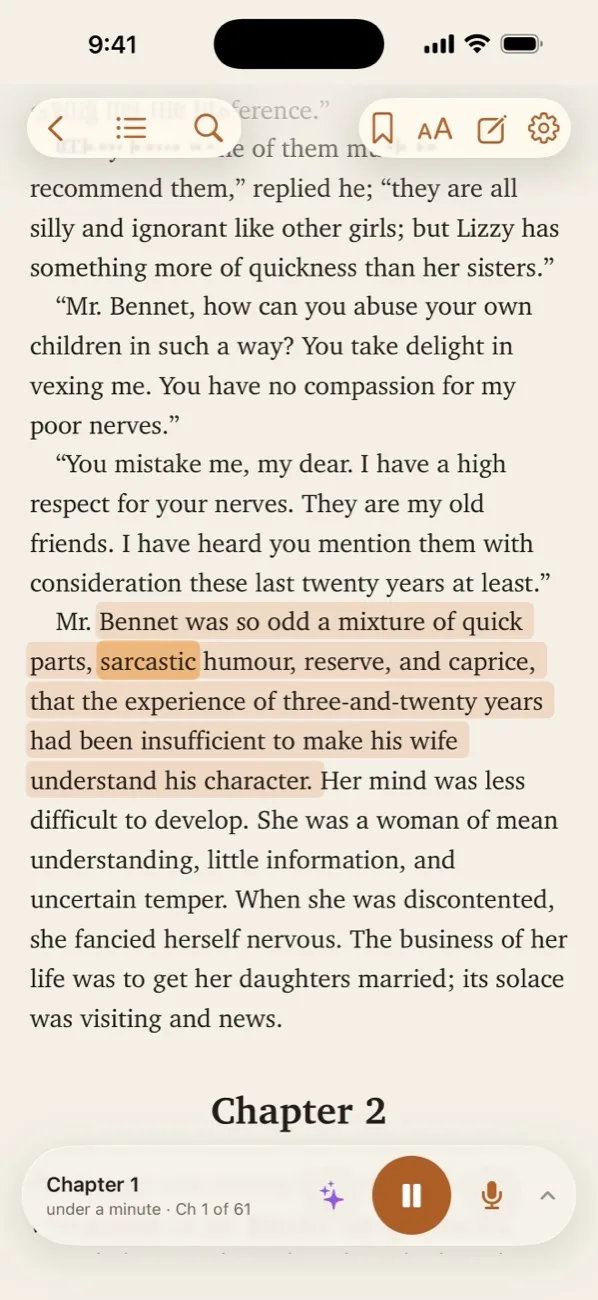
- ListenTap a paragraph. It starts reading.Each sentence lights up and the page turns by itself.
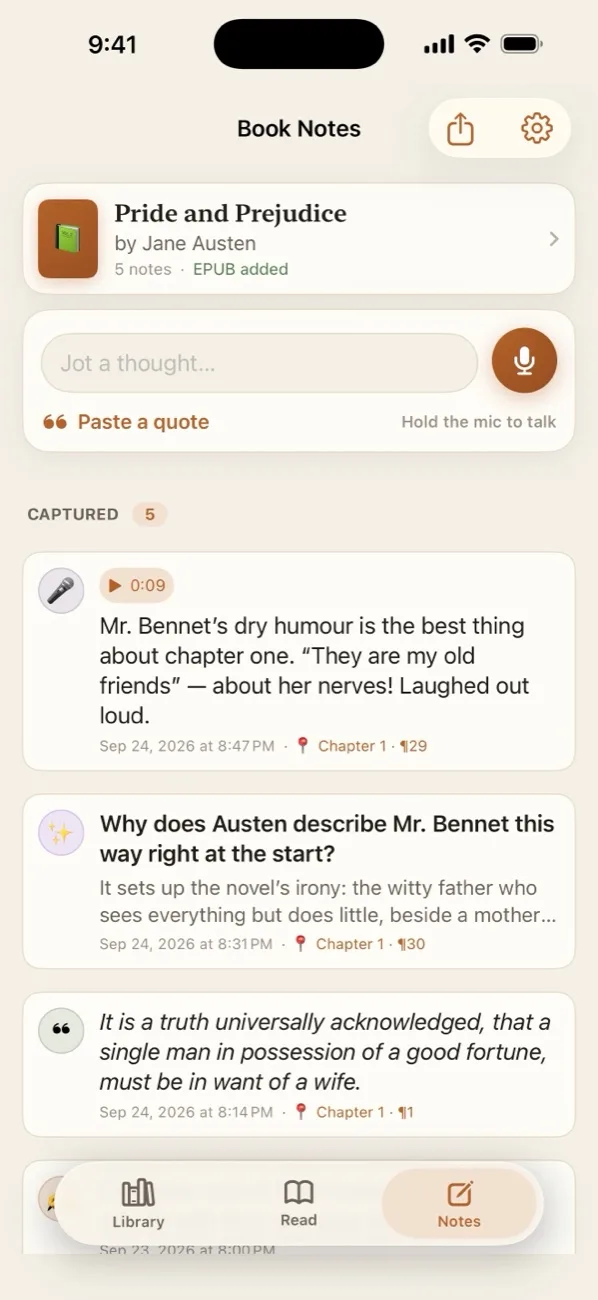
- RememberSay a thought. It’s pinned to the page.Hold the microphone and talk. Your words become a note at the exact spot.
- SnapPoint at any page. Hear it.A letter, a menu, a label or a paper book. Nothing is uploaded.
Drawer
One button. Every app.
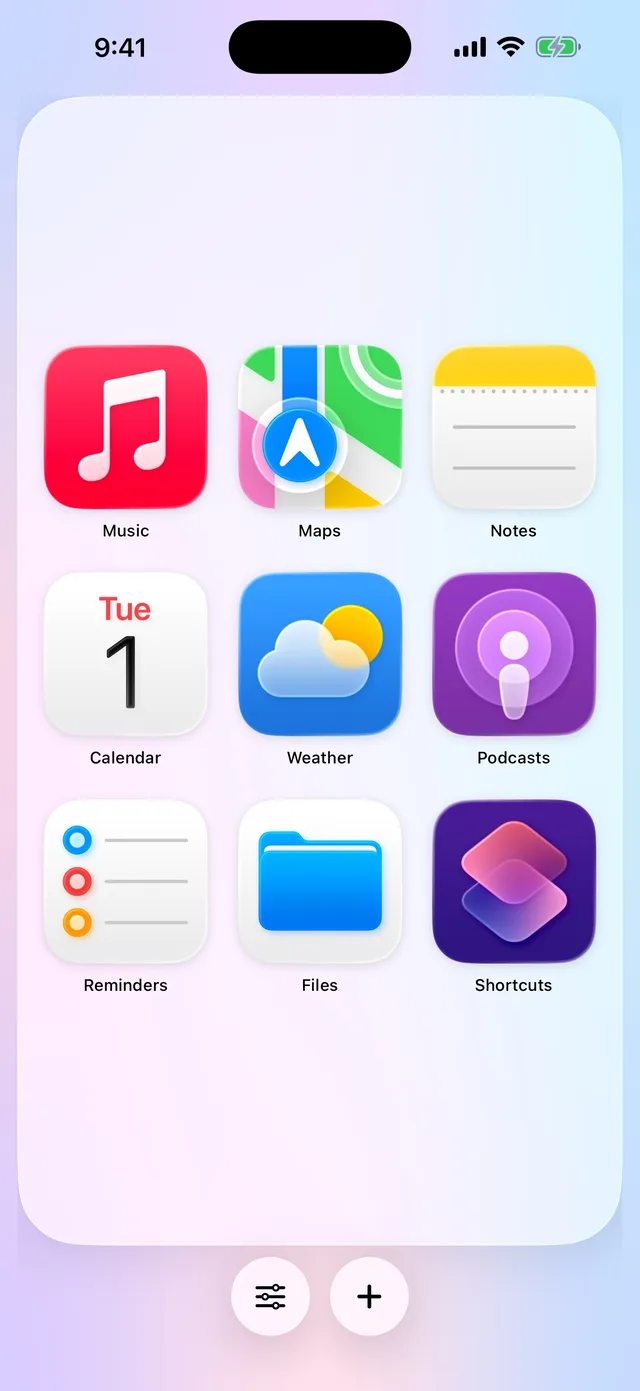
Your Action Button can only open one thing. Drawer lets it open all your favorites: hold the button, then tap any app or shortcut.
Free for iPhone. No account, no ads, no tracking. Coming soon to the App Store.
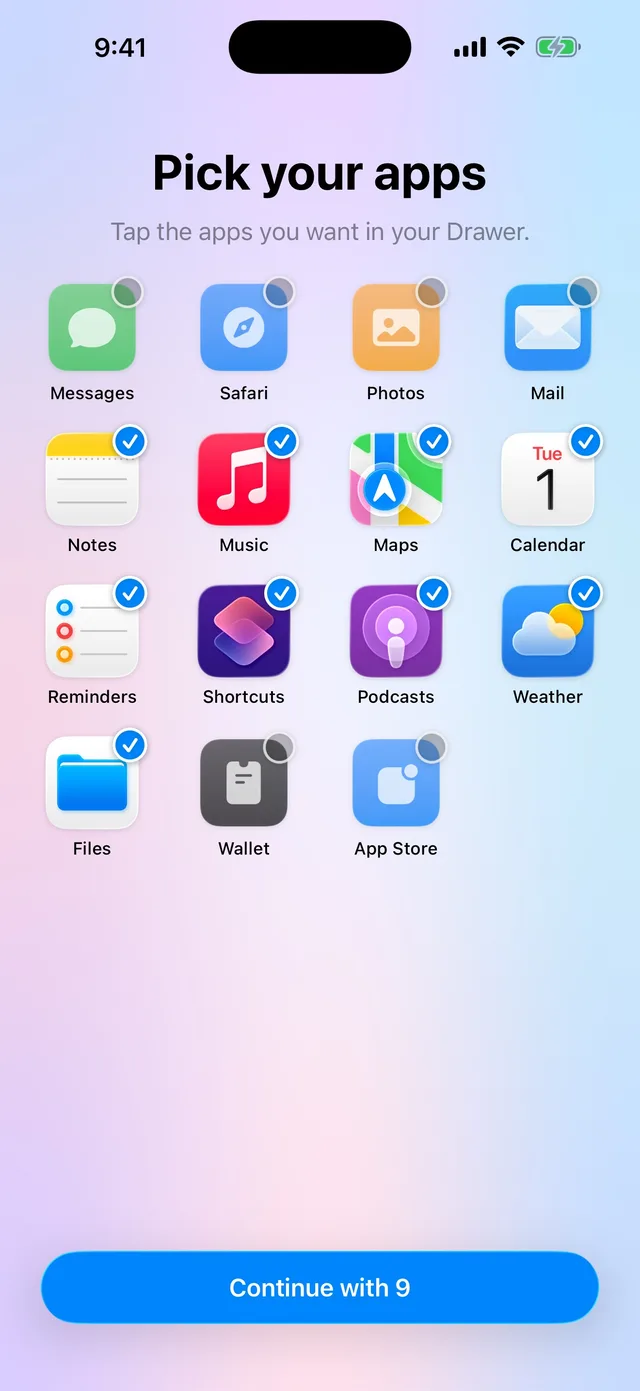
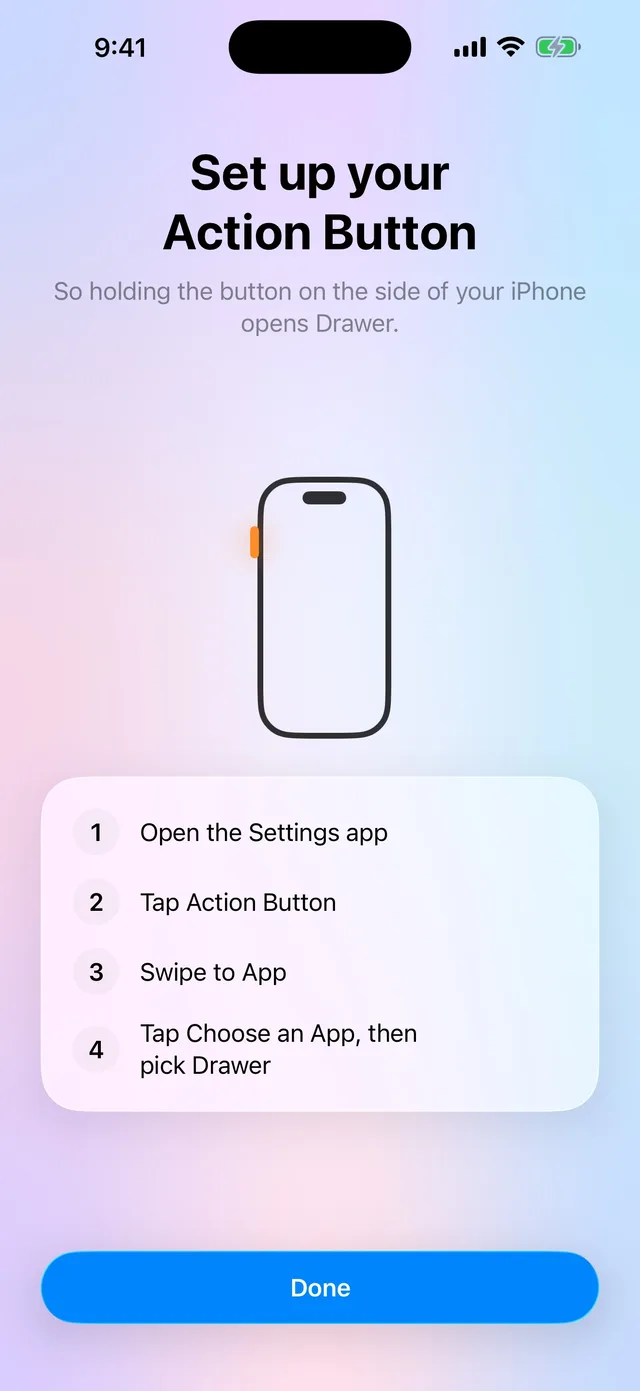
- One buttonHold the button. Tap any app.Set the Action Button to open Drawer once, and it opens everything you need.
- Every appAll your favorites, big and simple.Icons scale to fill the screen. Hold and drag to put things where you like.
- ShortcutsAny shortcut, with its own icon.Like a voice chat with your favorite assistant, right next to your apps.

DropBeam
Send files straight to another computer.
On your local network or anywhere over the internet, with end-to-end encryption. No accounts, no telemetry.
Mac with Apple silicon or Intel, and Windows. Updates install themselves.

- Quick SendDrag a file in. Share a short code.The other side enters it. Full speed on your network, direct across the internet.
- Shared Drop FoldersPair a folder with a friend.Anything you drop in is beamed to theirs, and can clear itself once delivery is confirmed.
- PrivateFiles never touch our servers.The relay only brokers the encrypted connection. It can’t read your data.
SuperWatcher
Play any video. Remember every moment.
A video player for iPhone and iPad that opens almost any file: MKV, HEVC, HDR and every subtitle format. No account, no ads, no tracking.
Free for 10 movies, then a one-time purchase. No subscription. Coming soon to the App Store.
- Plays everythingOpen the file. It just plays.Nearly any format and soundtrack, with subtitles you can restyle and resync.
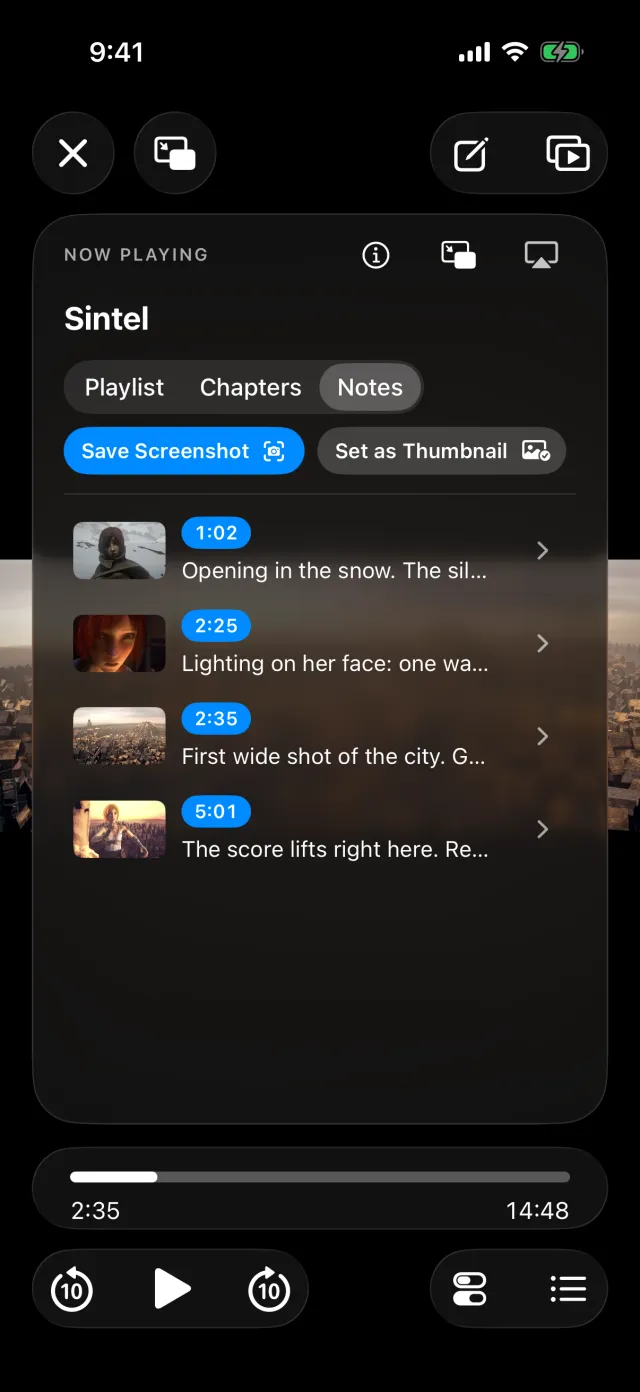
- NotesPin a thought to the exact frame.Timestamped notes with screenshots and voice memos, all on your device.
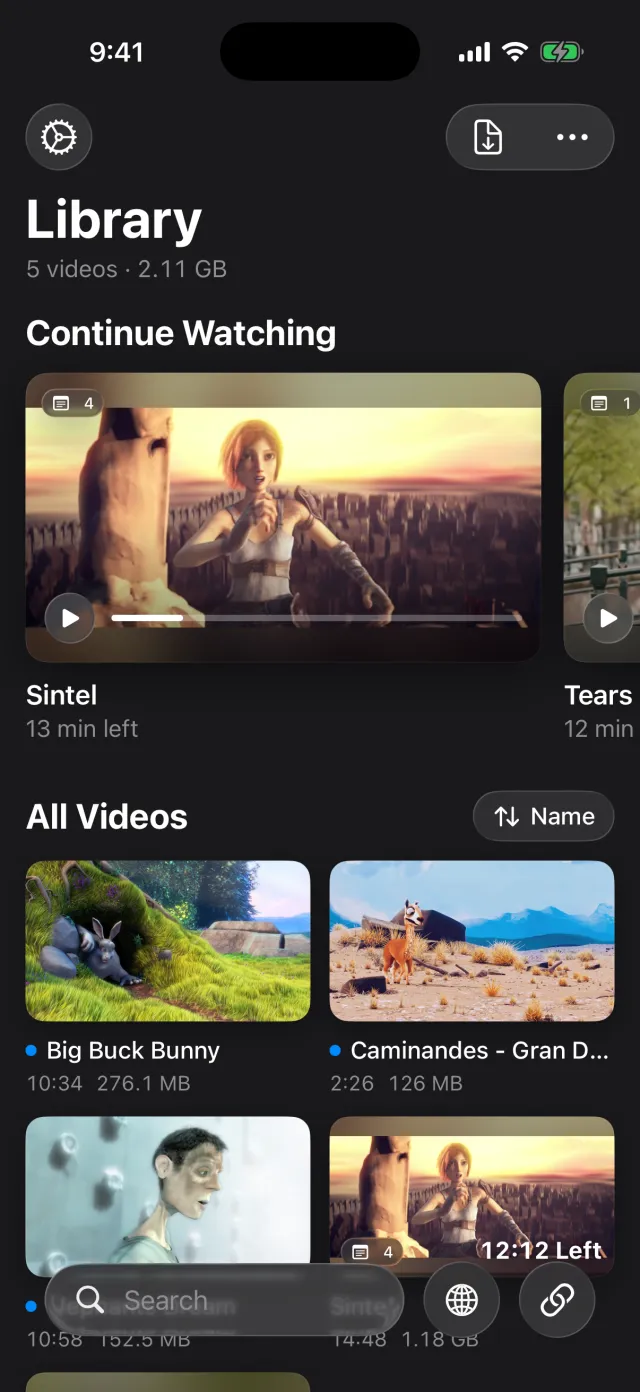
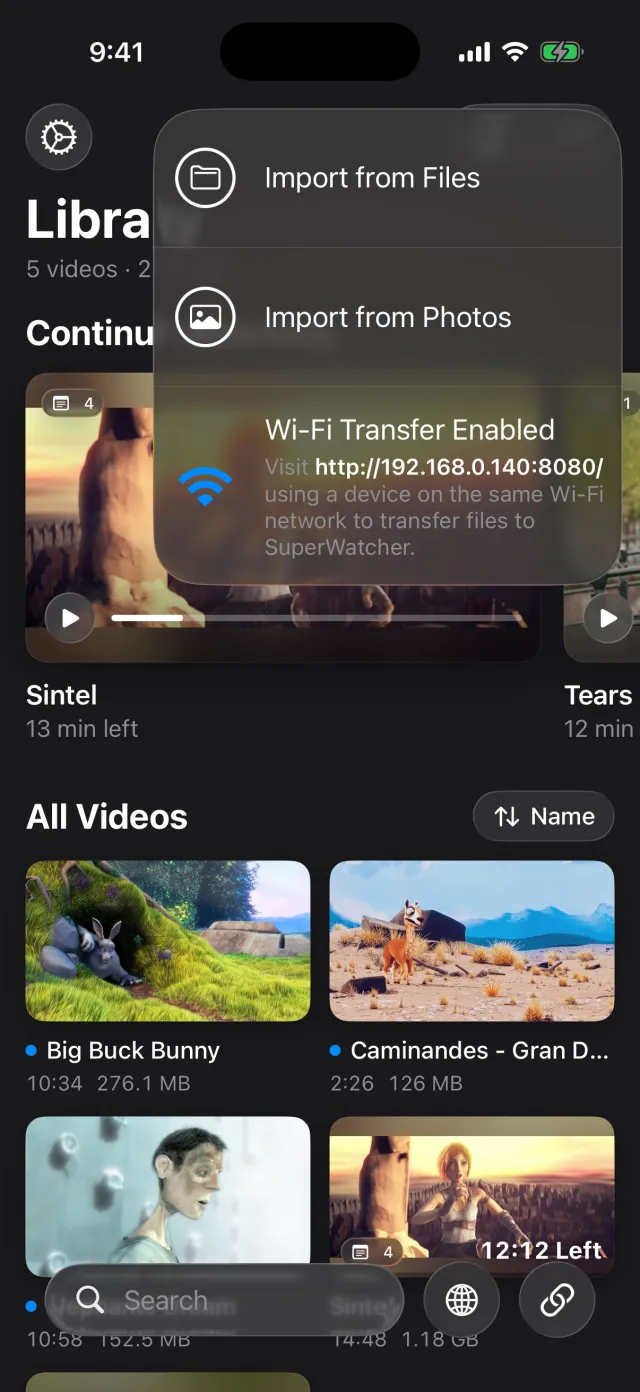
- Your libraryBring videos from anywhere.Files, Photos, Wi-Fi Transfer from a computer, or a link from your own media server.
Hale Tag
The service history, stuck right on the equipment.
Peel-and-stick QR tags for furnaces, water heaters, panels and anything else that gets serviced. Scan one with any phone camera to see what it is and every visit.
Pay once per tag. Works in any phone browser for the life of the unit. No app, no account, no subscription.

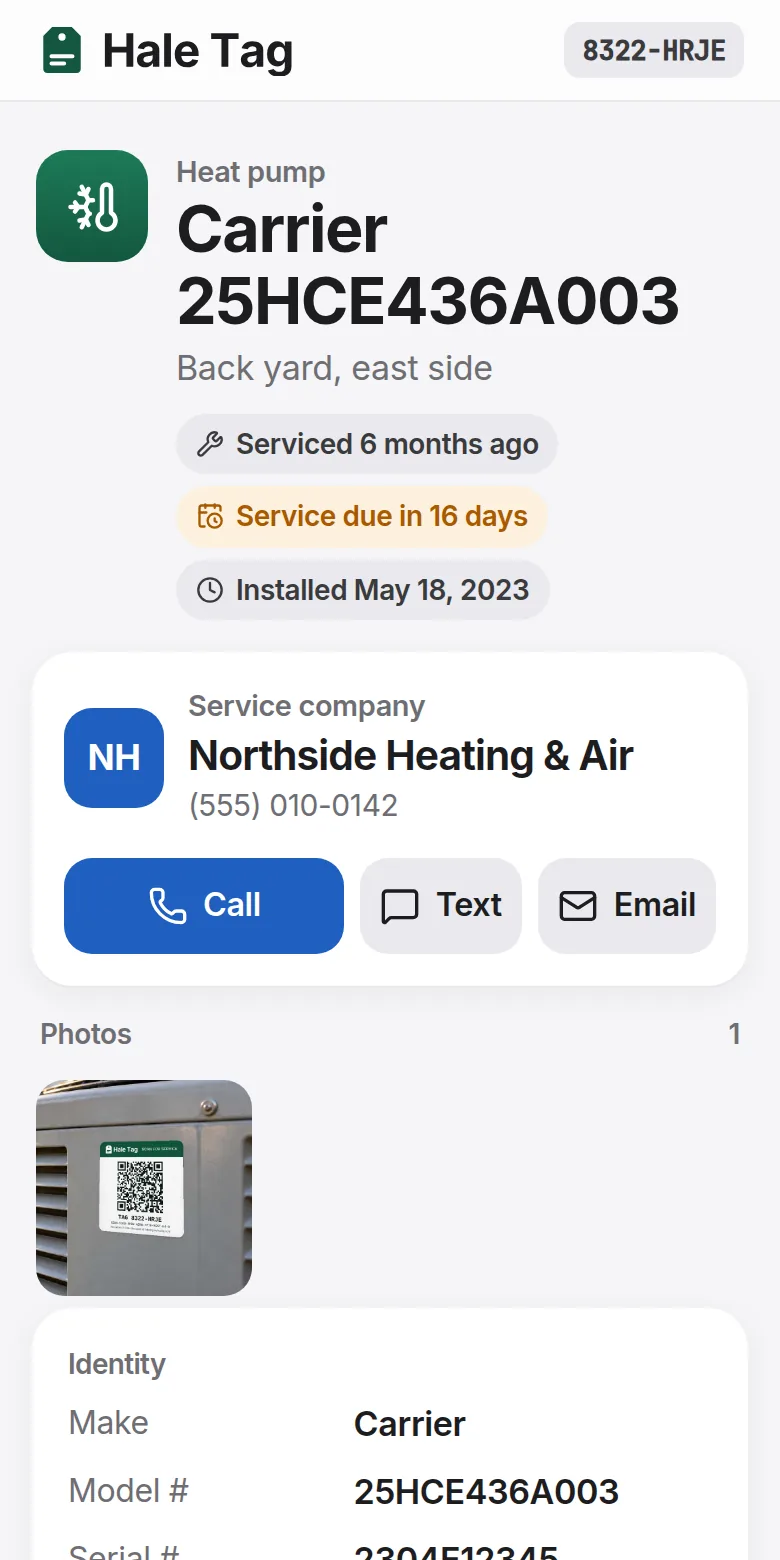
- Anyone can scanPoint a camera. That’s it.The owner, the next tech or the next homeowner sees specs, wiring and every visit.
- For contractorsYour number on the button.Whoever sets up the tag gets the call. Other companies can add history but can’t take the customer.
- Built to outlastWorks even if we’re gone.Records are encrypted with the tag’s own code and kept in a permanent public archive.
FrigateProtect
Your Frigate cameras, on your iPhone.
A fast, native app for Frigate, the open-source camera recorder you run at home. Live view, detections and every recording, a tap away.
In beta on TestFlight. Needs your own Frigate server. Not affiliated with the Frigate project.
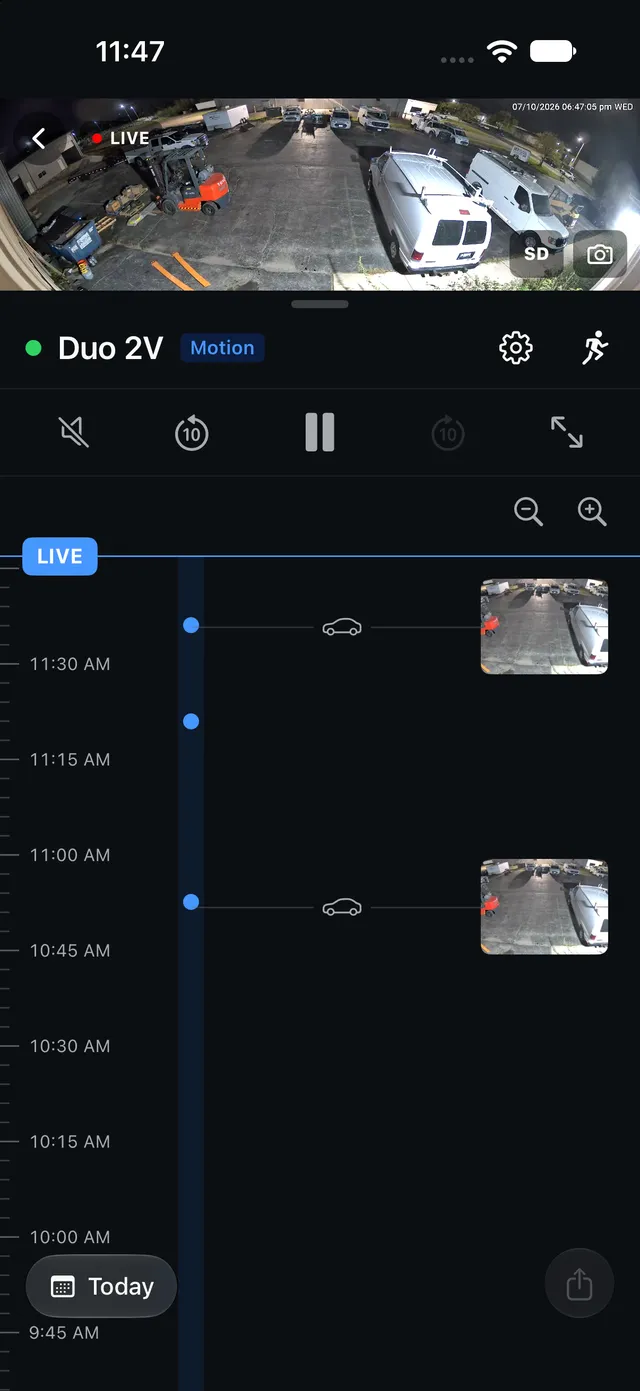
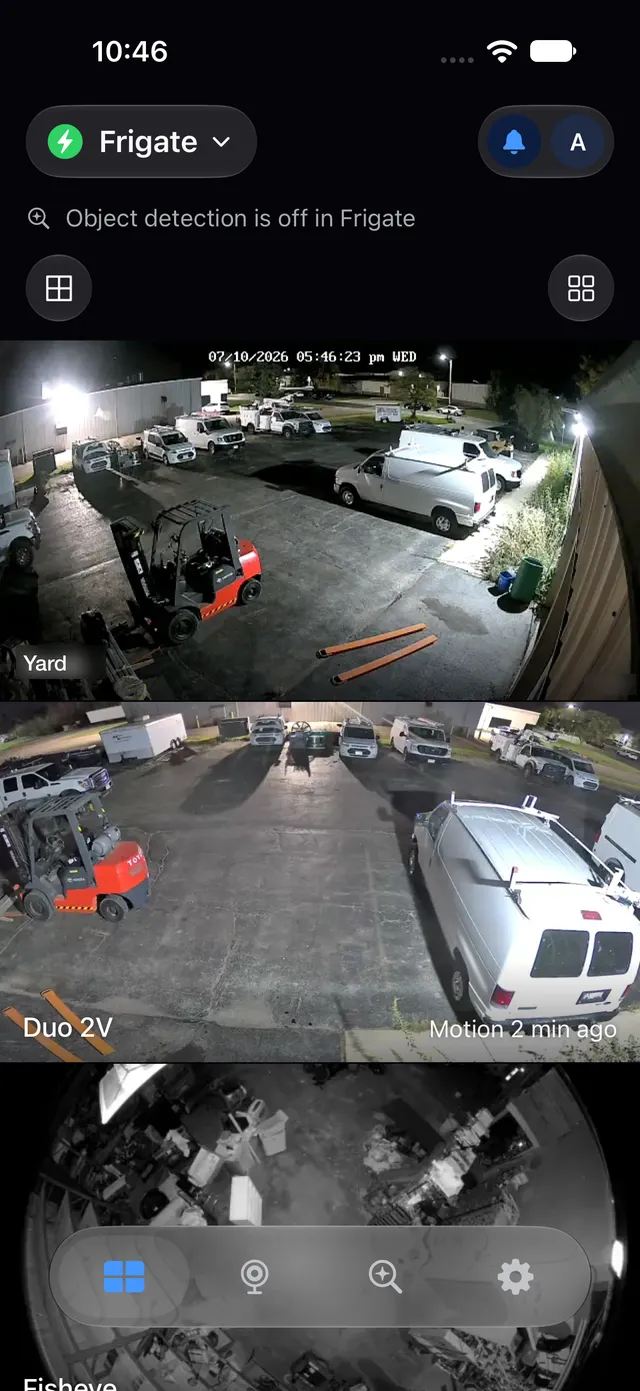
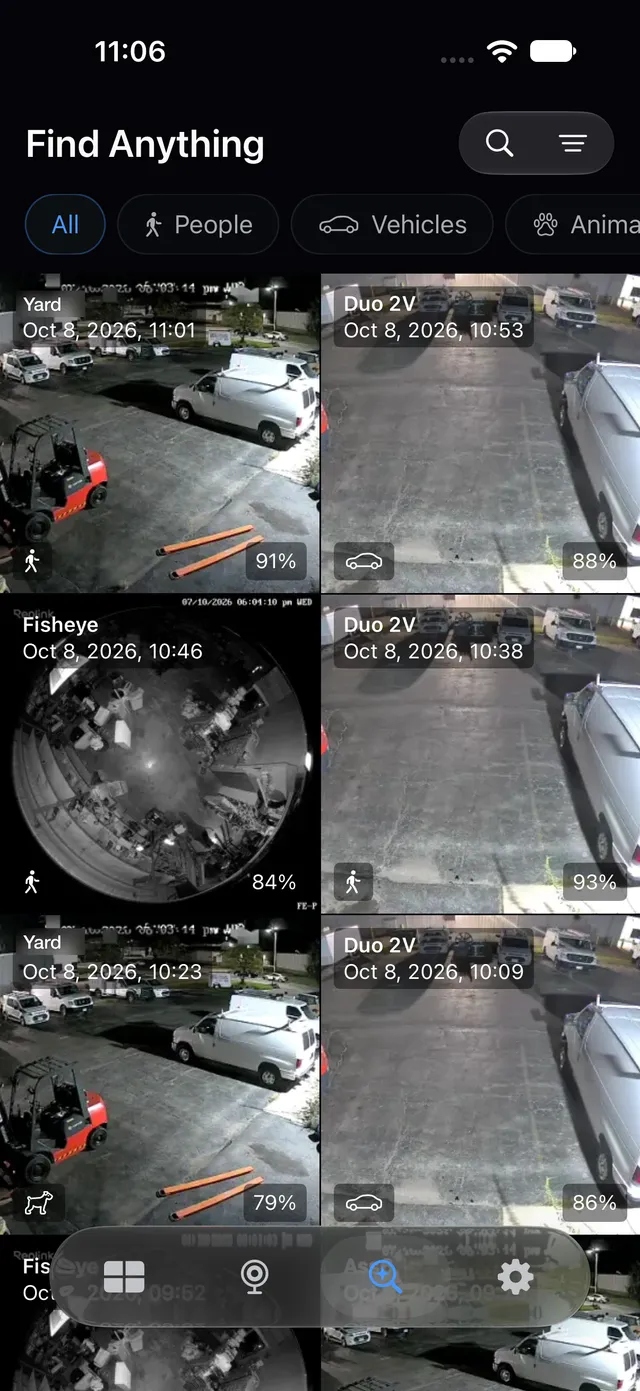
- LiveEvery camera at a glance.A multi-camera grid, fisheye dewarping and snapshots straight to Photos.
- AlertsA picture the moment something moves.Notifications show who or what showed up, then jump to the clip.
- PrivateStraight to your own server.Video stays end-to-end encrypted between your phone and your recorder. No account, no tracking.

Chest
Receipts, spending and net worth.
A money app for people and businesses. Every account is pulled from your own banks and kept on your own server, not ours.
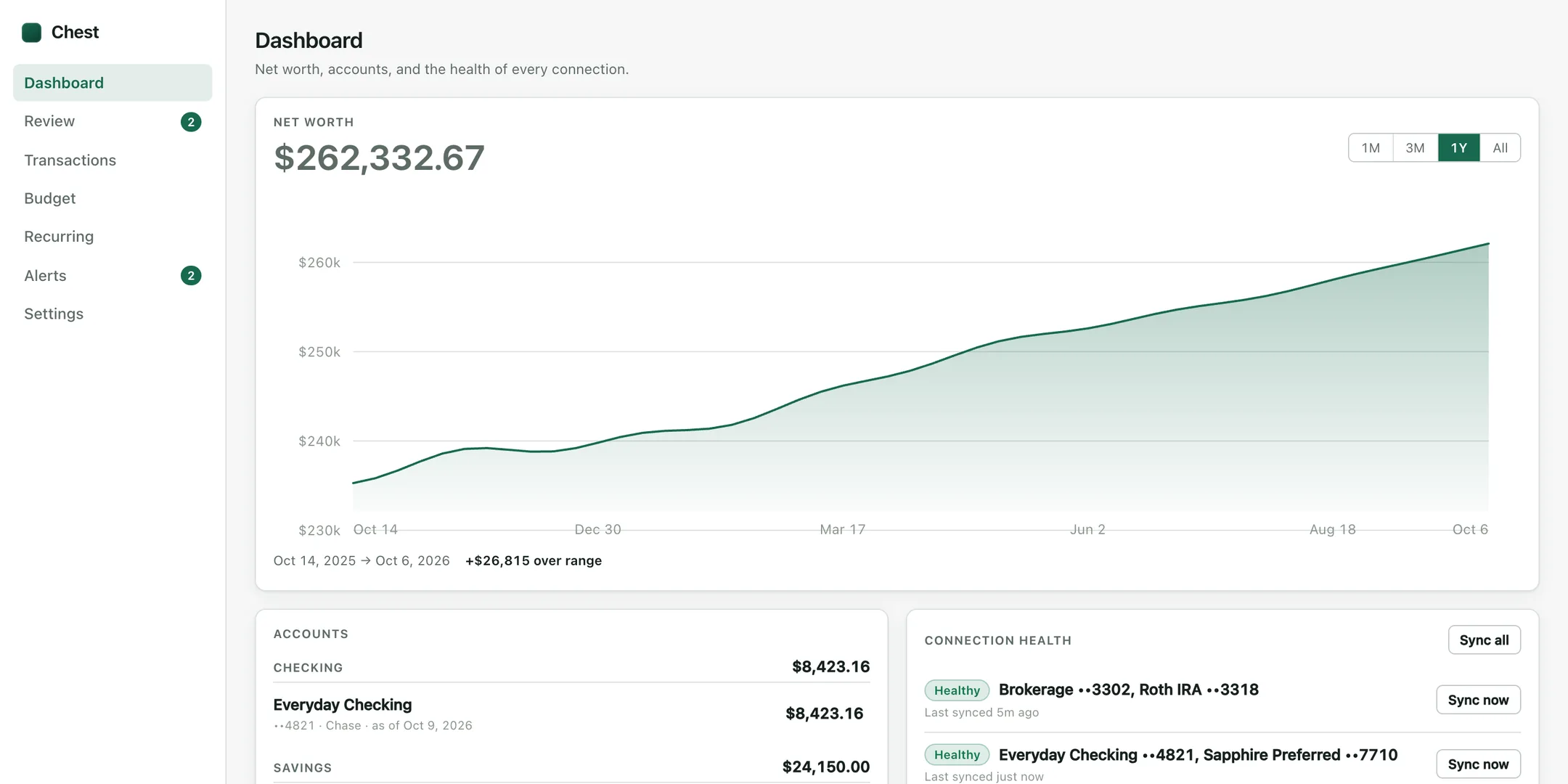
- For youEvery account in one place.Net worth over time, spending by category, and a budget that tells you if you’re on pace.
- For a businessReceipts that file themselves.When a company card is used, the cardholder gets a nudge. They snap the receipt and Chest matches it.
- YoursRuns on your own server.Your bank data never sits in someone else’s cloud. No ads, no selling your spending.
Murmur
Your whole day as one voice note.
Catch a thought the instant it hits, from your wrist or your pocket. At the end of the day, Murmur sorts it all into tasks, ideas and a journal.
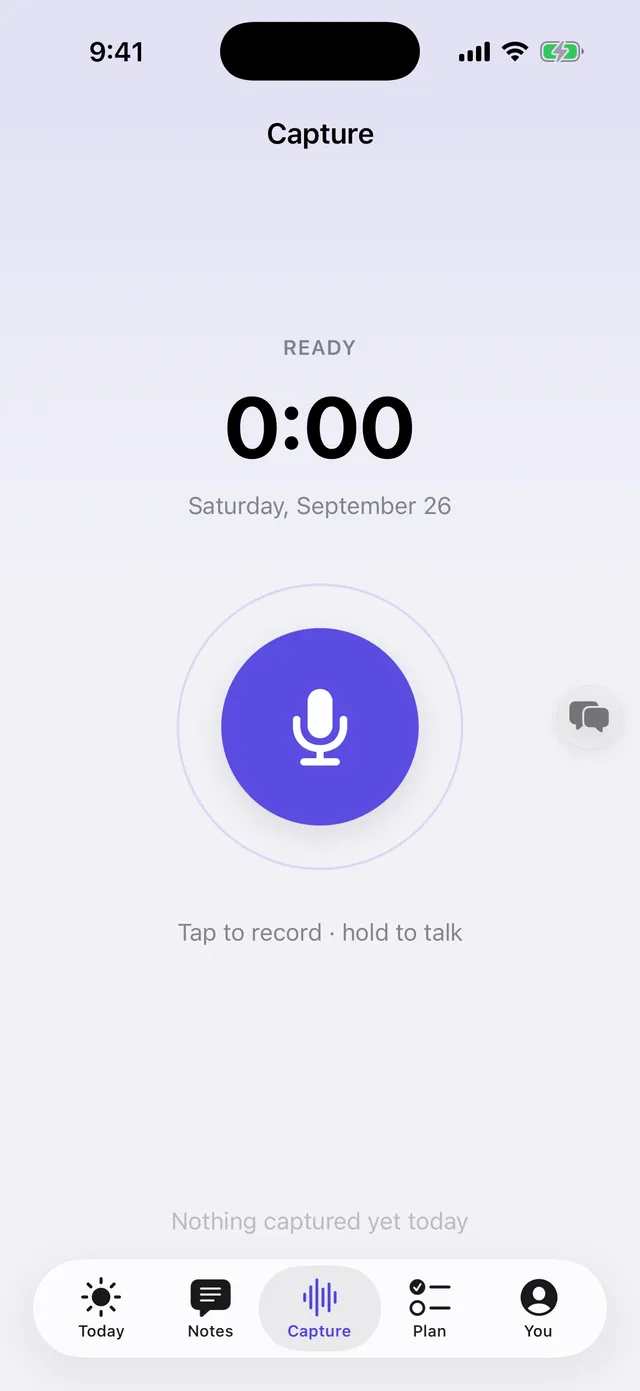
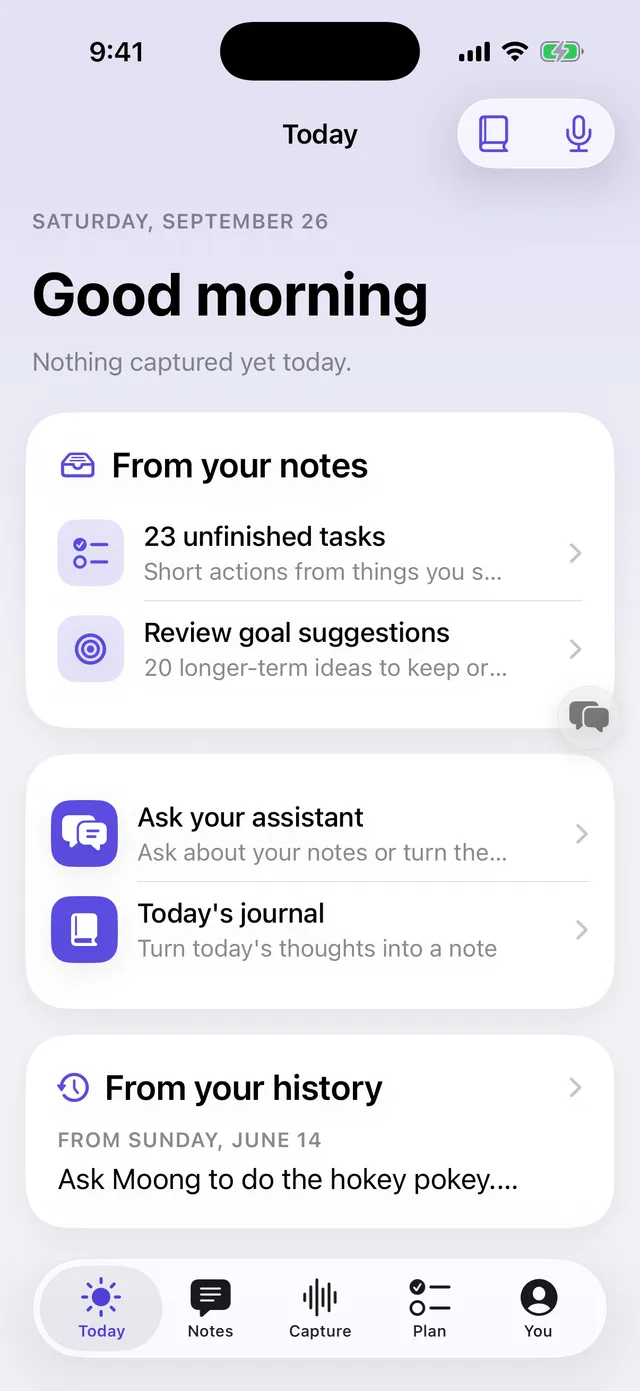
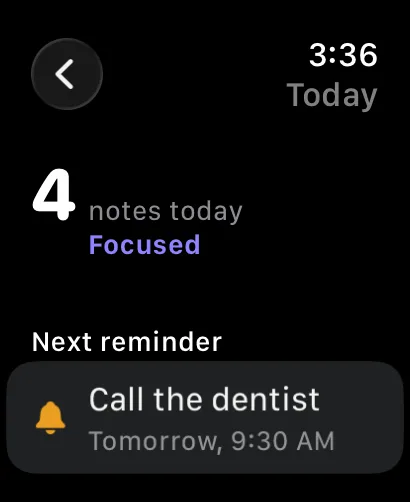
- CaptureJust start talking.Every thought adds to today’s one note. No clips to name, no folders to file.
- OrganizeThe day sorts itself.Your words are transcribed and filed into Tasks, Ideas, Questions and Journal.
- AskAsk your past self.On the Mac, ask your notes anything and get an answer in your own words, linked to the day.

SwipeSpeak
Talk and it types. Select and it reads.
One tiny menu bar app with two superpowers. Hold a key and speak to write in any app. Select any text and your Mac reads it to you in its natural Siri voice.
Free. No account, no subscription. macOS 14 or later, Apple silicon.
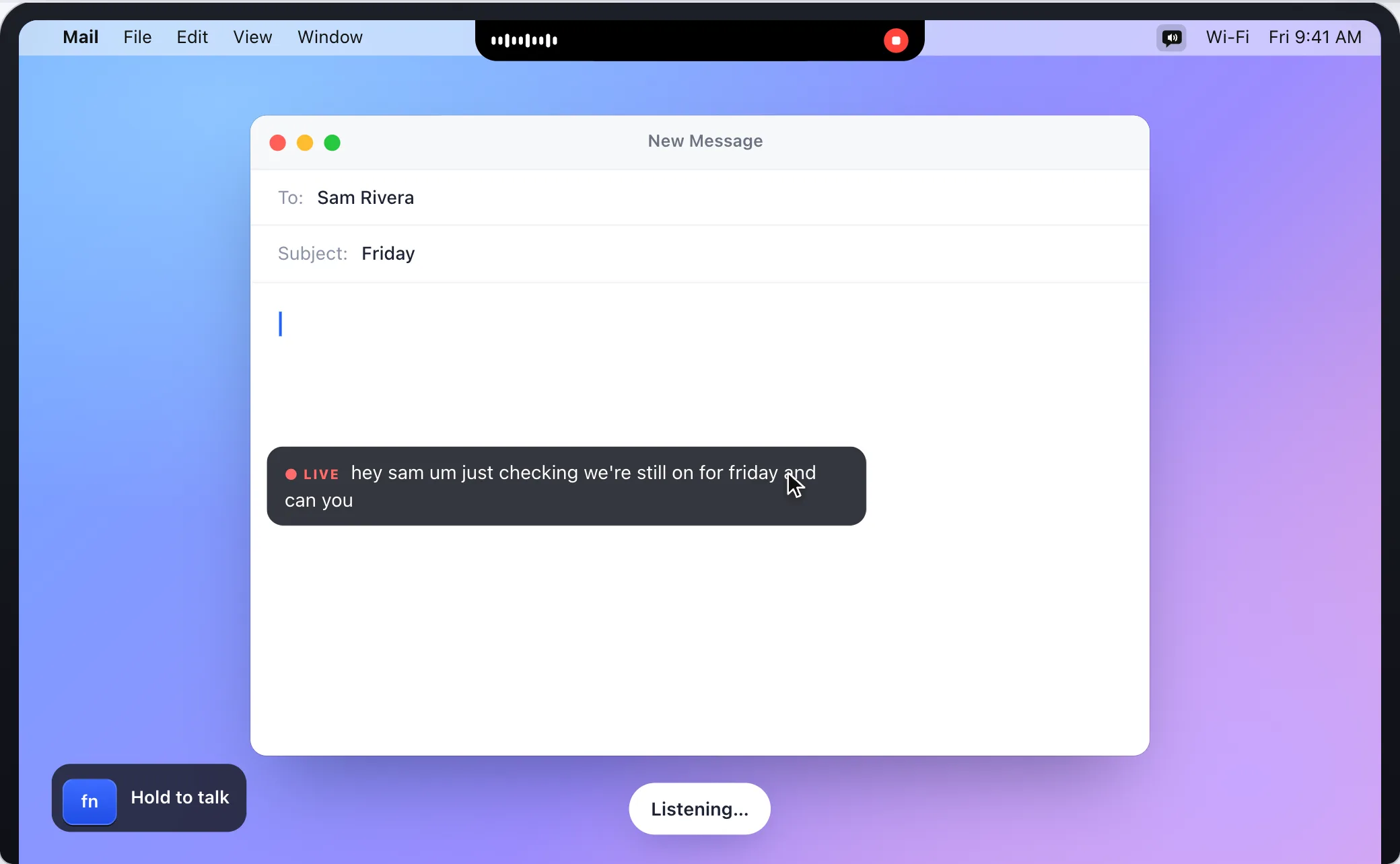
- DictationHold a key. Say it messy. Get it clean.It types wherever your cursor is, with the ums taken out. Switch to on-device and nothing leaves your Mac.
- Read AloudSelect text. Glide onto the speaker.No clicks, no shortcuts. Your Mac reads it to you at your speed.
- Just the gistHear the short version.Rest on the sparkle instead, and a long article becomes a quick spoken summary.
Offline Interpreter
Two languages. One iPhone. No signal needed.
Tap to speak and it listens, translates and says it out loud for the other person. It all happens on the phone, so it works abroad, on a plane or in a basement.
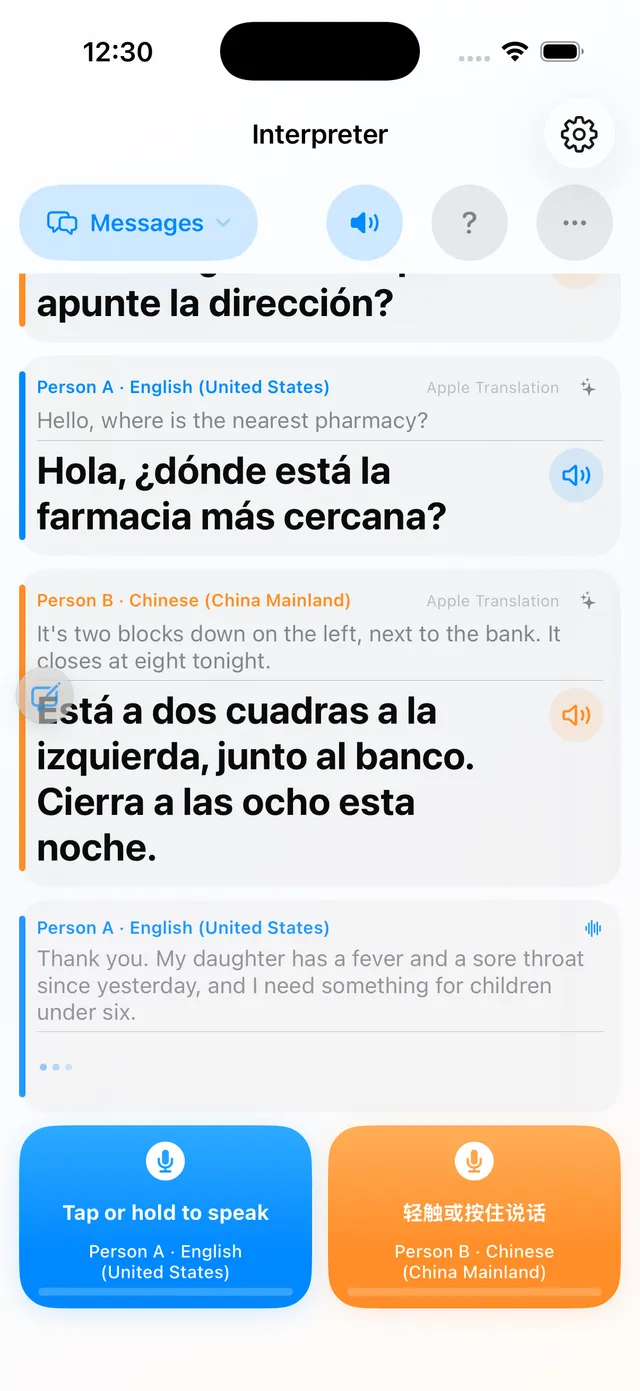
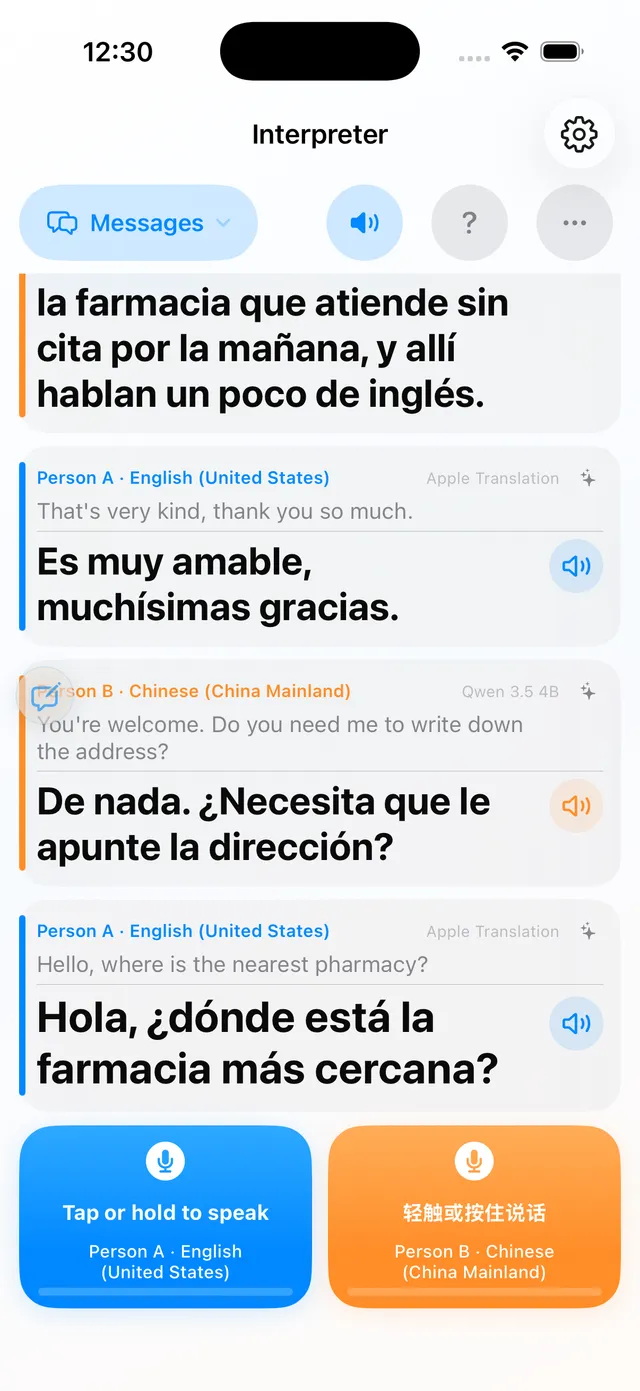
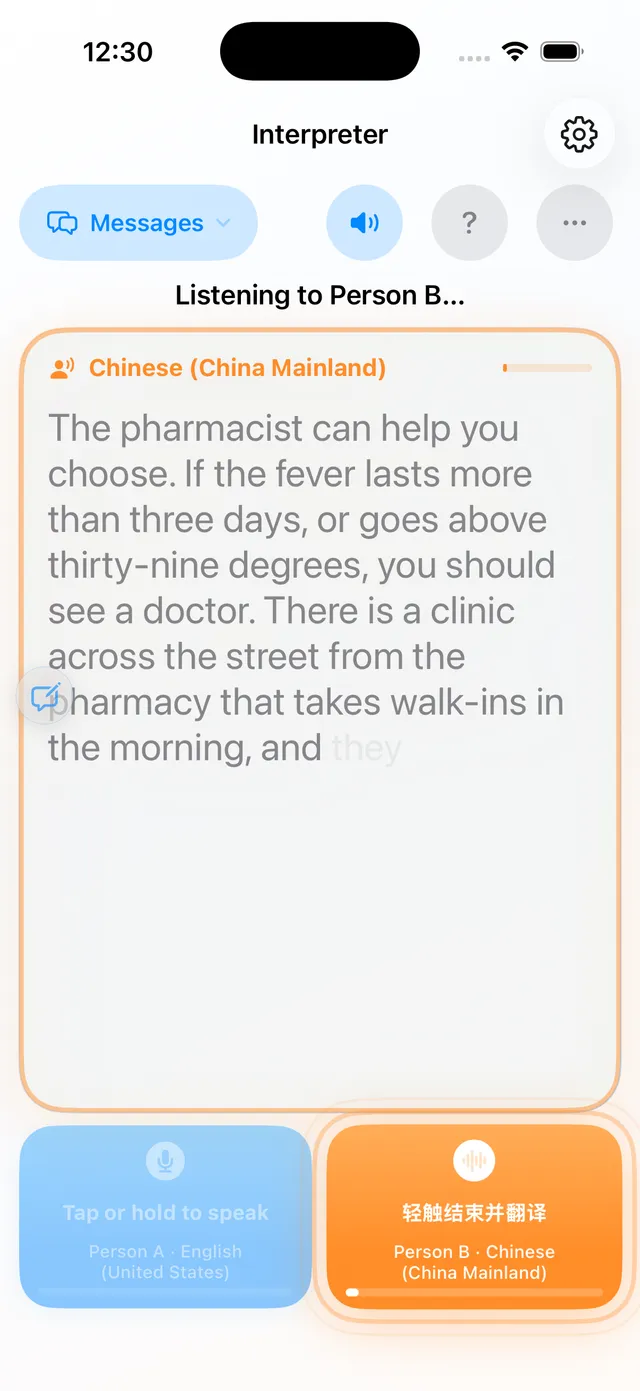
- Face to faceHand the phone across the table.A button for each person, a face-to-face mode, and a live mode that listens to both.
- PrivateNothing leaves your phone.Listening, translating and speaking all happen on the device. No account, no analytics.
- NaturalHear it, not just read it.Every translation can be spoken in a voice you pick, with text as big as you like.
AshCut ProMax
One shoot. Dozens of shorts.
Build a labeled library of your clips once, then spin endless captioned, color-graded vertical videos from it.
Mac with Apple silicon or Intel. Checks for updates itself.
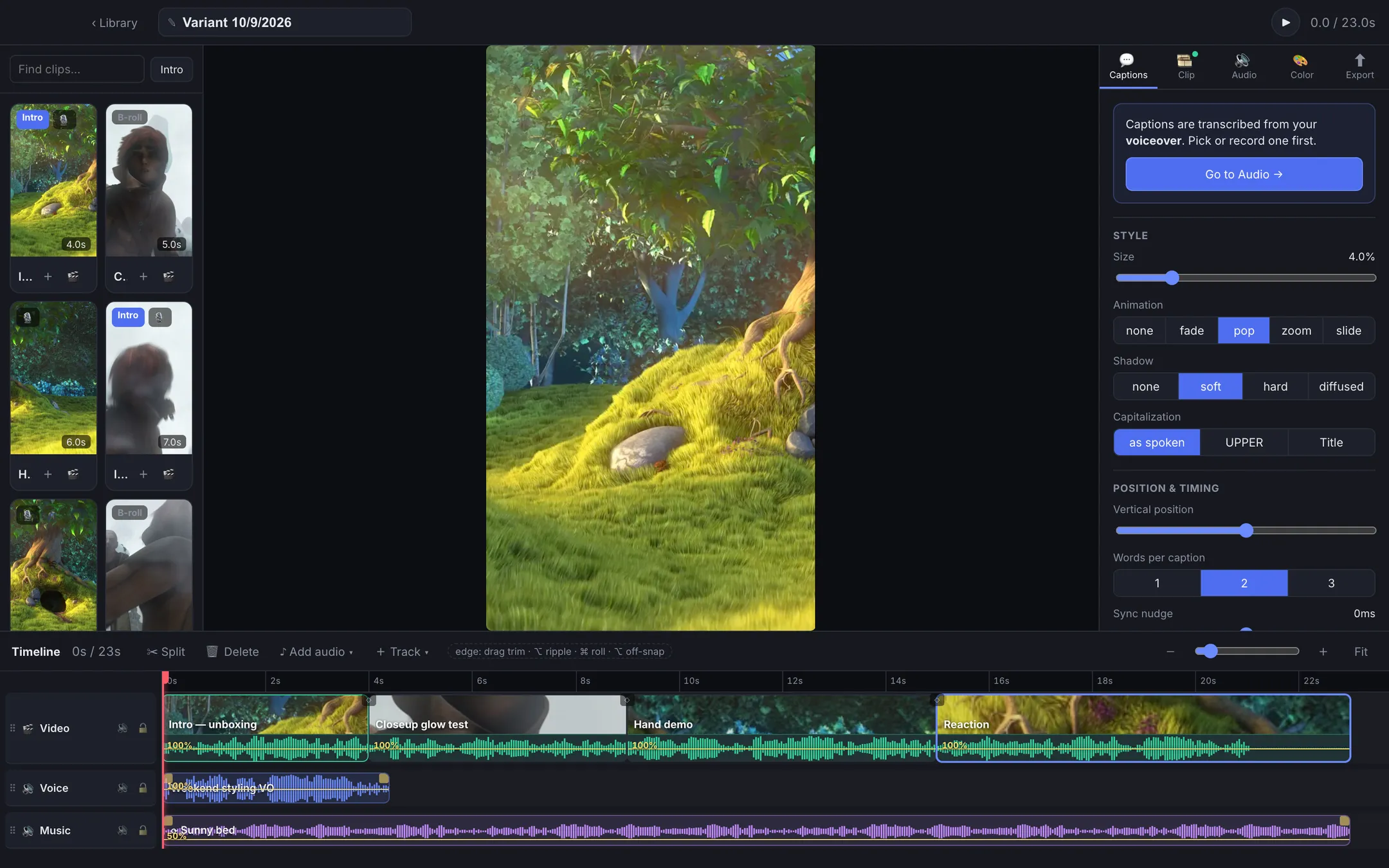
- LibraryDrop in a reel. It splits itself.Long recordings are cut into clips at the black gaps, ready to label, tag and search.
- CaptionsCaptions straight from your voiceover.Offline transcription, styled captions and Photos-style color grading in one place.
- Spin variantsEvery hook. Every voiceover.Export every combination of intro shot and voiceover in one batch, then see what wins.
SuperTranslate
Live subtitles for any call, both ways.
A floating window shows what everyone says and its translation as they speak, in Korean, Chinese and English. Works over Zoom, Teams, Meet or any other call.
Uses your own pay-as-you-go keys, usually pennies a call.
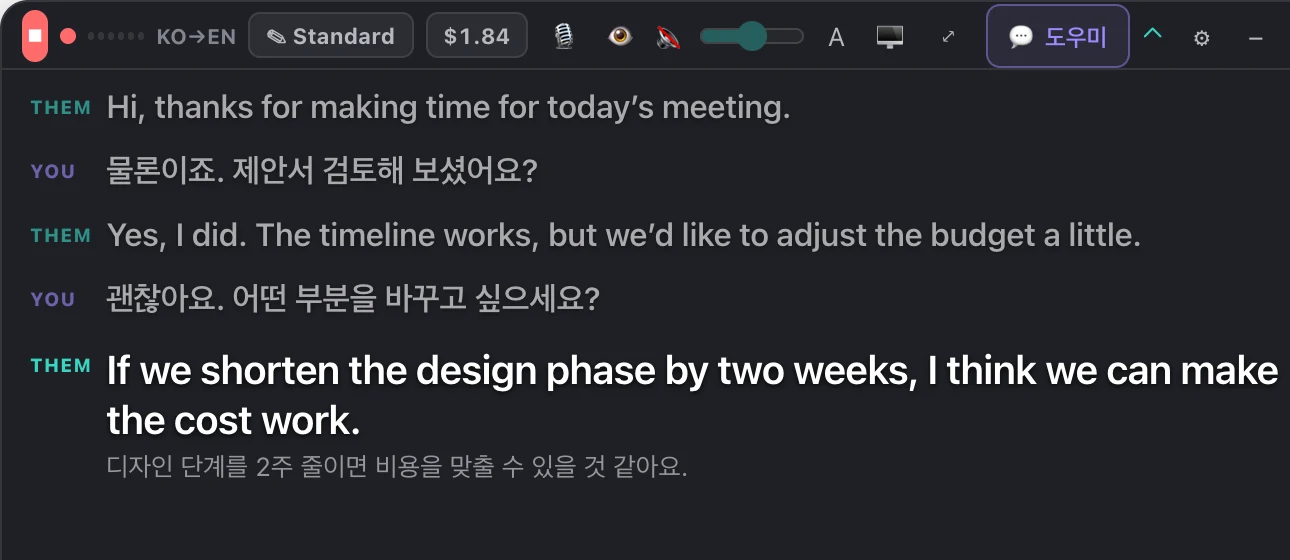
- Both sidesYour mic and theirs.It listens to you and to the other person’s voice from the call, and translates each way.
- Speak itHear the translation, too.Turn on spoken dubbing with free built-in voices or premium HD ones.
- No surprisesA spending cap built in.A live cost meter and a monthly limit mean you never get a surprise bill.
Video Notes
Feedback pinned to the exact frame.
Review a cut, pause anywhere, draw on the frame or mark a stretch of audio, and leave a note for your editor. Everything stays on your computer.
Free and open source. No account, no upload, no subscription.
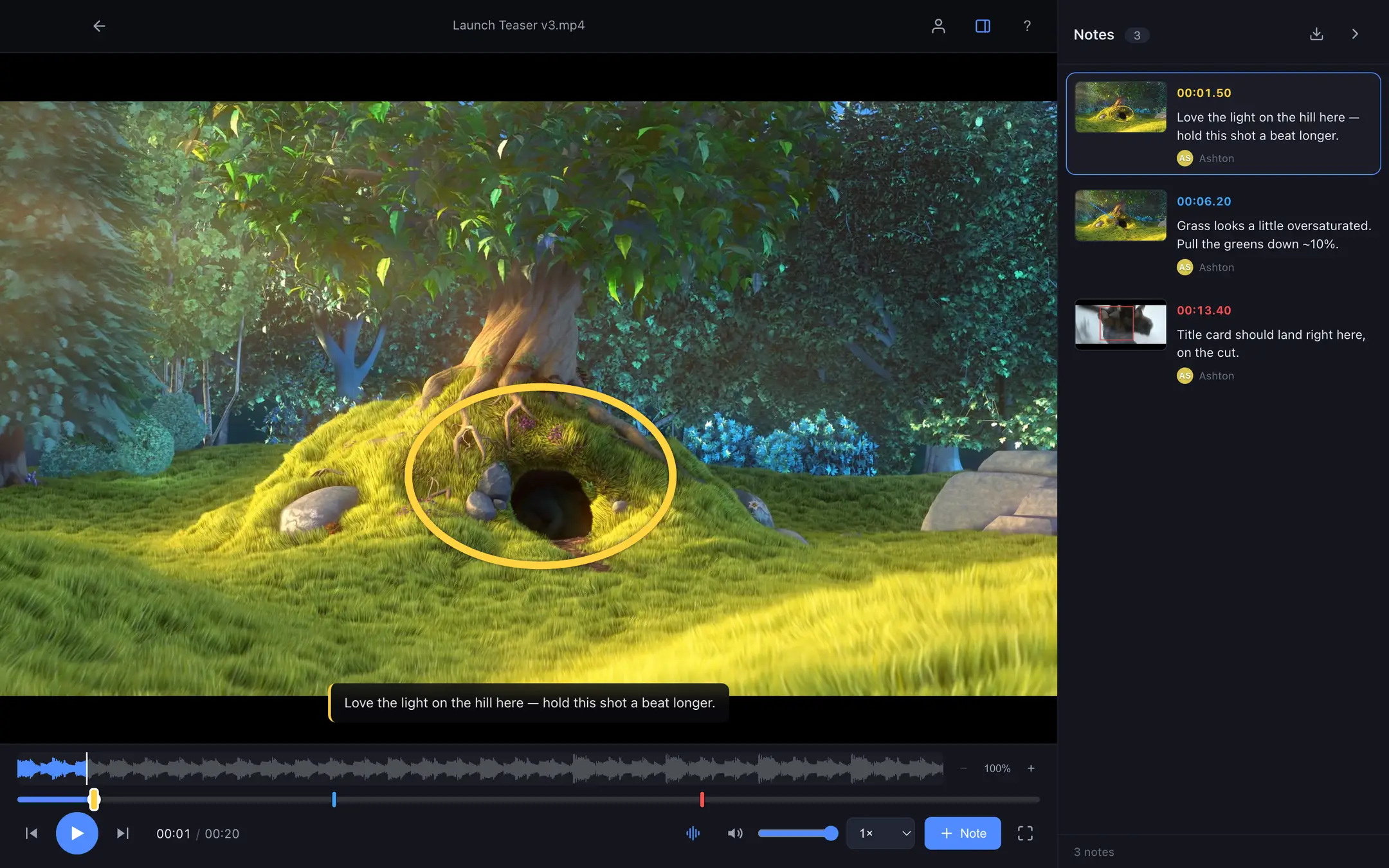
- DrawCircle the problem.Pause and add a box, arrow or pen stroke. It’s saved to that exact moment.
- ListenMark a stretch of sound.Drag across the waveform to leave a note about the audio over that range.
- ShareSend notes as plain text.Your collaborator opens them on their own copy of the video and sees every drawing.
Nucleus
One home for all your data.
Your recordings, tasks, documents and money in one private place that you own, which every app and AI you use can share. Your data is the nucleus. Apps orbit it.
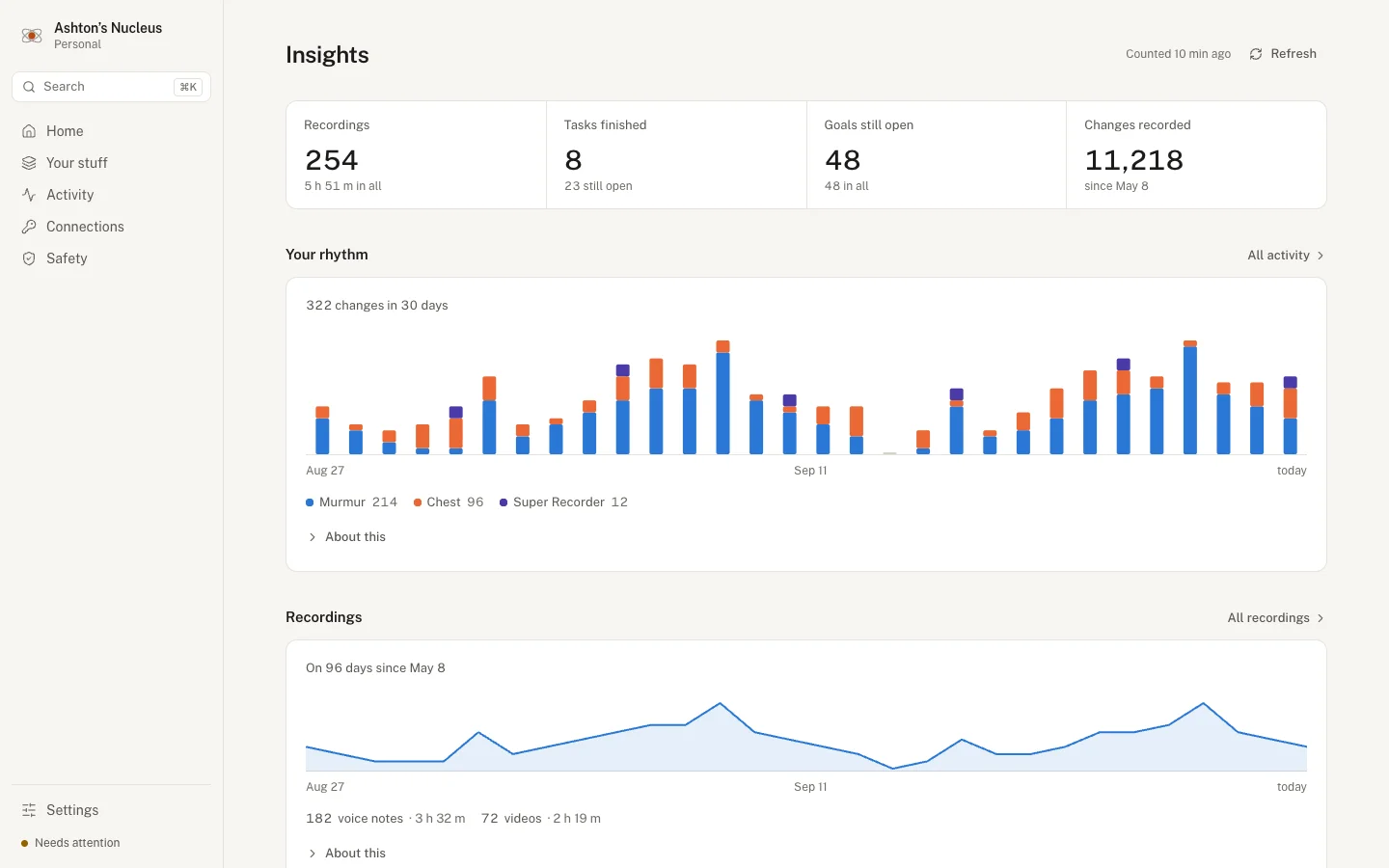
- See itEverything, in your own words.Browse and search everything your apps have saved, with no database jargon in sight.
- Keep itBacked up every night.Versioned copies on your own Mac, plus a checkup that catches problems before you lose anything.
- Share itPoint any app or AI at it.Connect an app or assistant in one sentence, and switch it off whenever you like.